
How do I get my speed test result link?
Follow these five simple steps to test your internet connection and share your results with our team.
Open Speedtest.net
Click the button below to open the official Speedtest website in a new browser tab.
Open Speedtest.net ↗Run the Speed Test
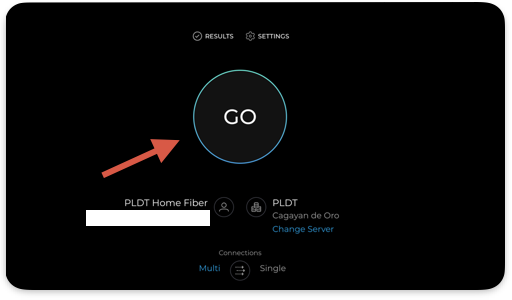
Click the GO button and wait for the test to finish. Your download speed, upload speed, and ping will appear on the screen.
Click Share
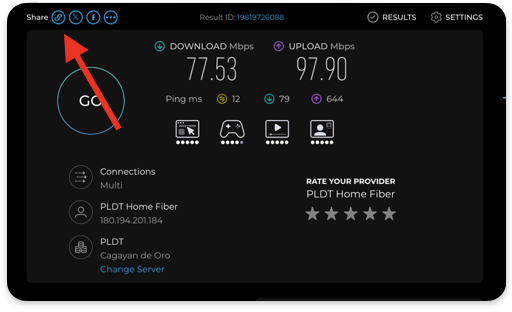
After the test finishes, find and click the Share button on the results screen. Select the option for sharing your test results.
Copy Your Results Link
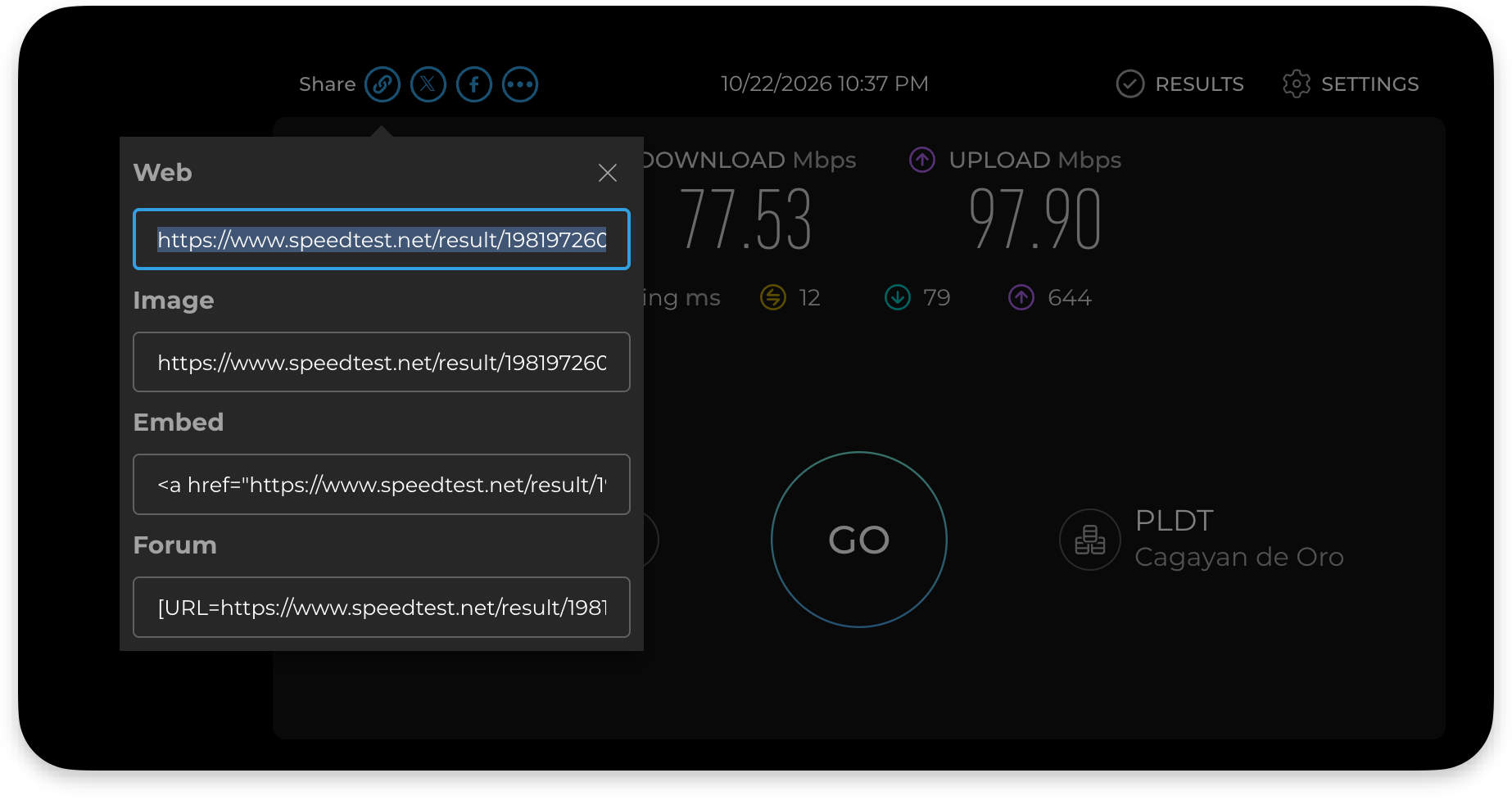
Choose Copy to copy the link to your completed speed test. Make sure you copy the actual results link, not the Speedtest.net homepage URL.
Submit Your Results
Return to the form, email, or chat where you were asked to provide your speed test. Paste the copied link into the appropriate field and submit it.