How to Acknowledge Your Corrective Action
Before proceeding, ensure that you are logged in to your account.
If you are not logged in yet, follow the steps in How to Log In to the Employee Portal.
Steps to Acknowledge a Corrective Action
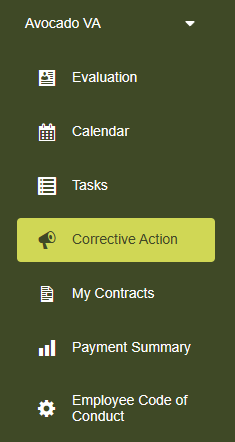
- Go to the Corrective Action page.
- Scroll down to the My Corrective Actions section.
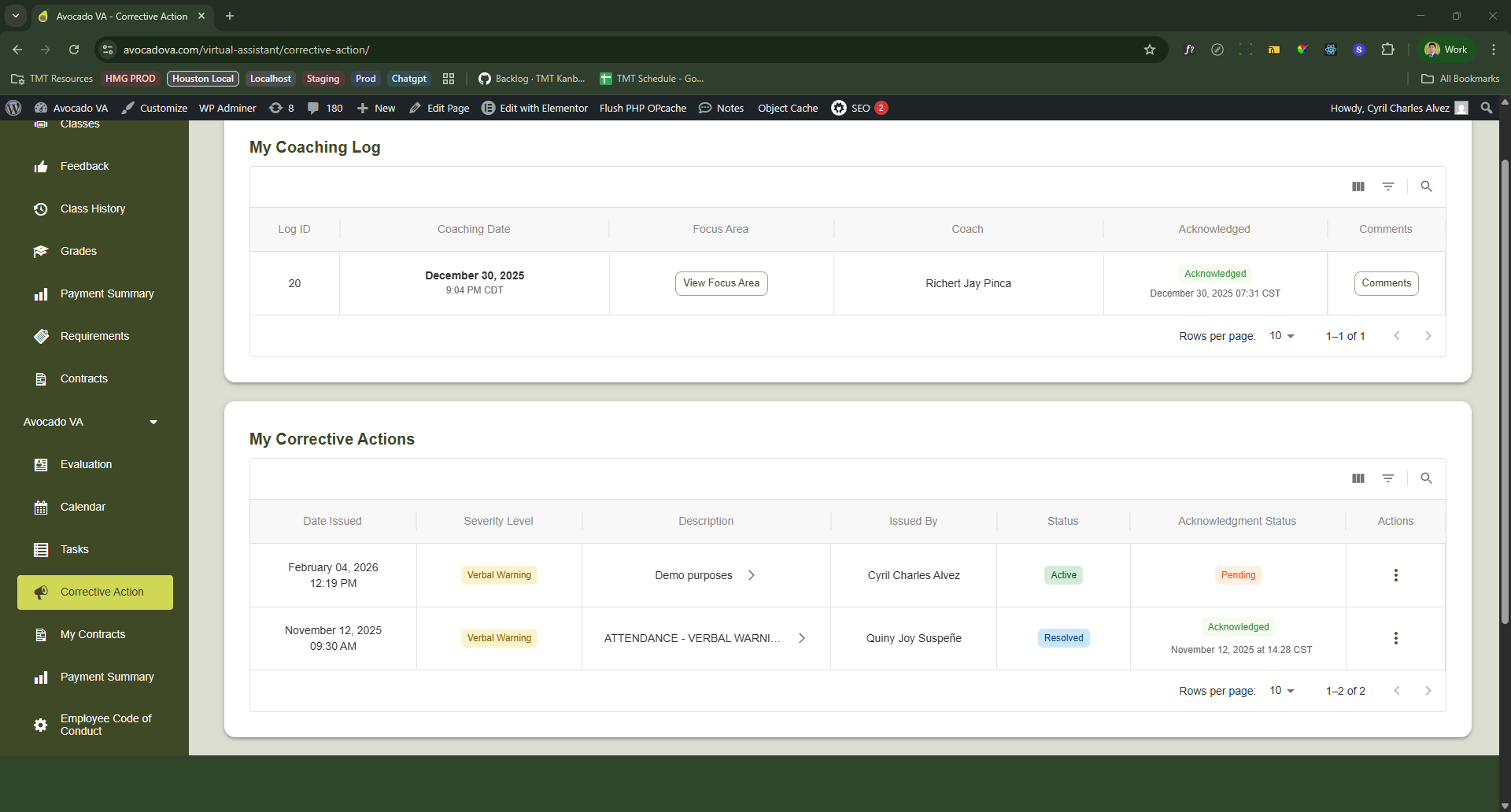
You can acknowledge a corrective action in two ways:
Option 1: Acknowledge via Description Column
- Click the arrow icon in the Description column.
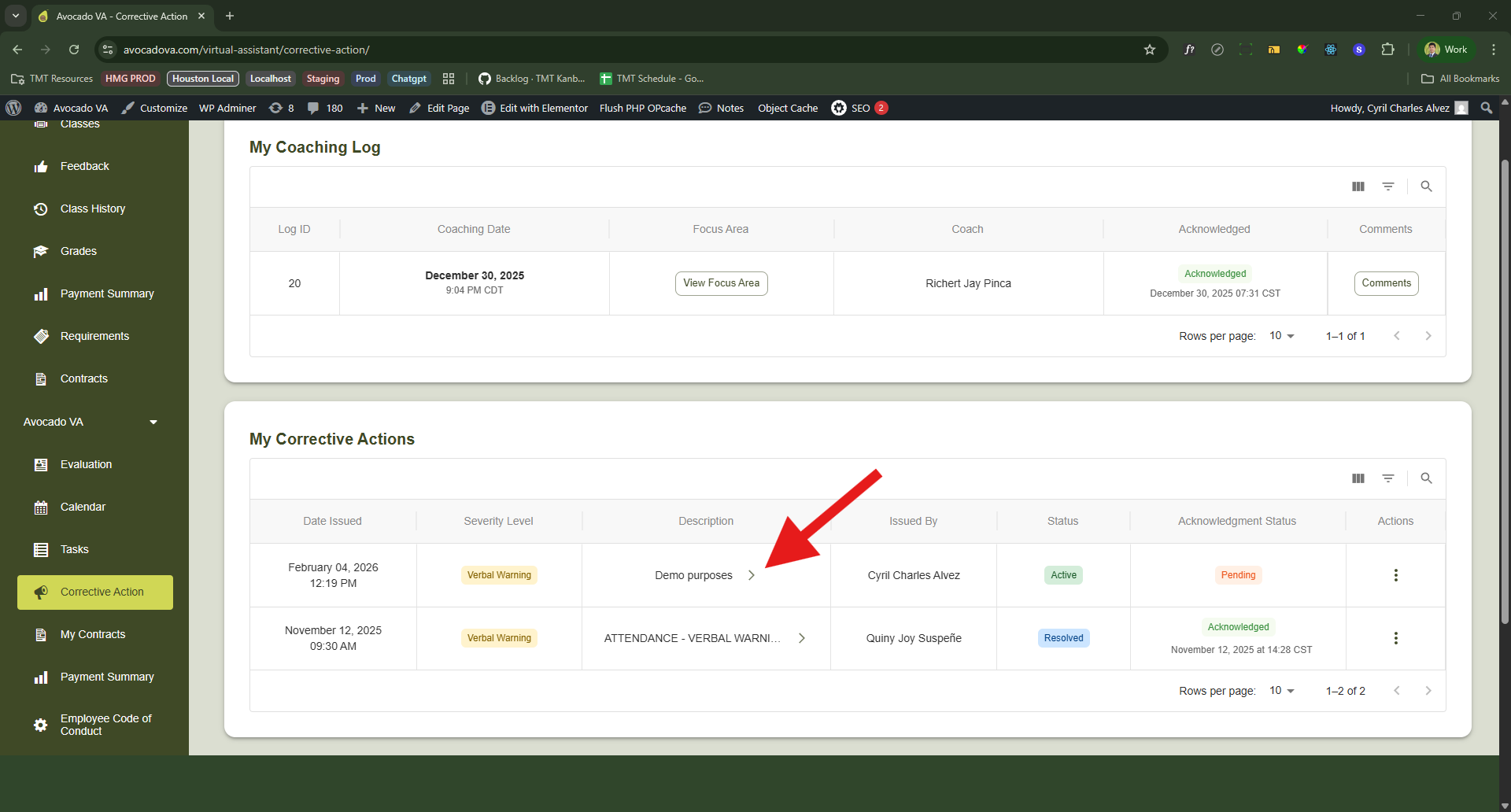
- A dialog will open showing the details of the corrective action.
- Click the “I acknowledge this” button.
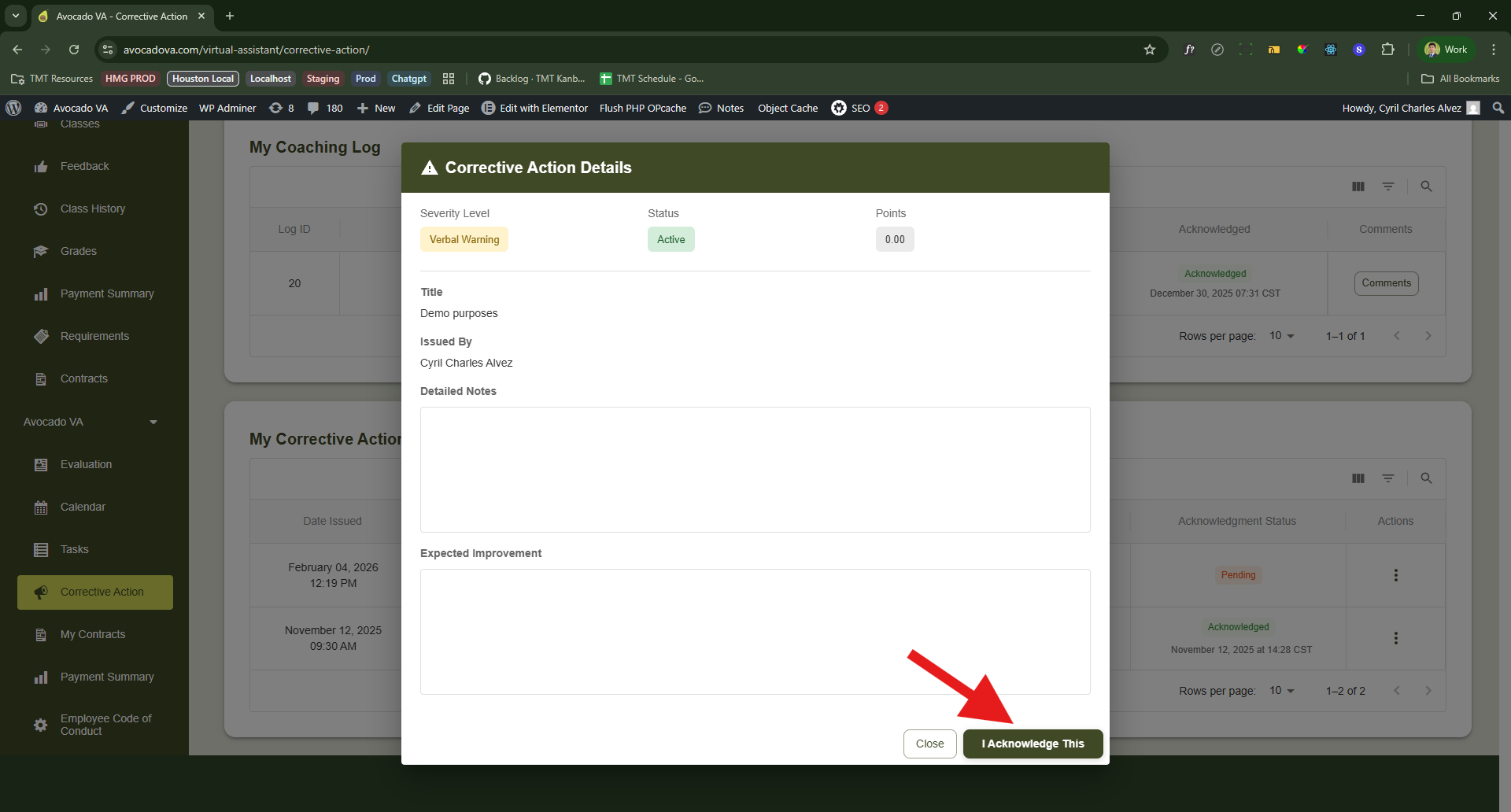
- A disclaimer dialog will appear. Read it carefully.
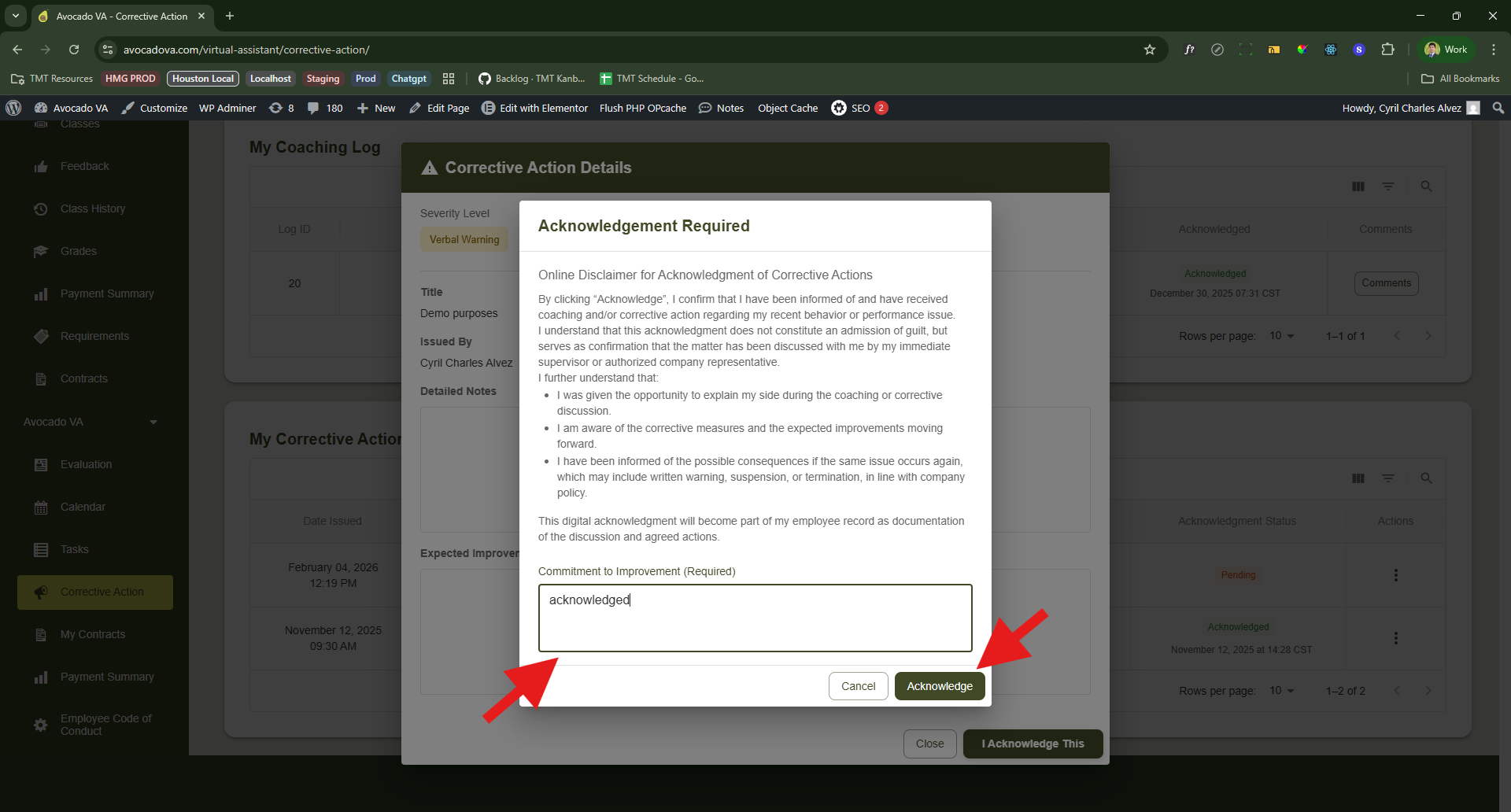
- Enter your commitment or acknowledgement message in the text field.
- Click the Acknowledge button to submit.
Your acknowledgement message should clearly explain your understanding and commitment to improvement.
Option 2: Acknowledge via Actions Menu
- Click the three vertical dots in the Actions column.
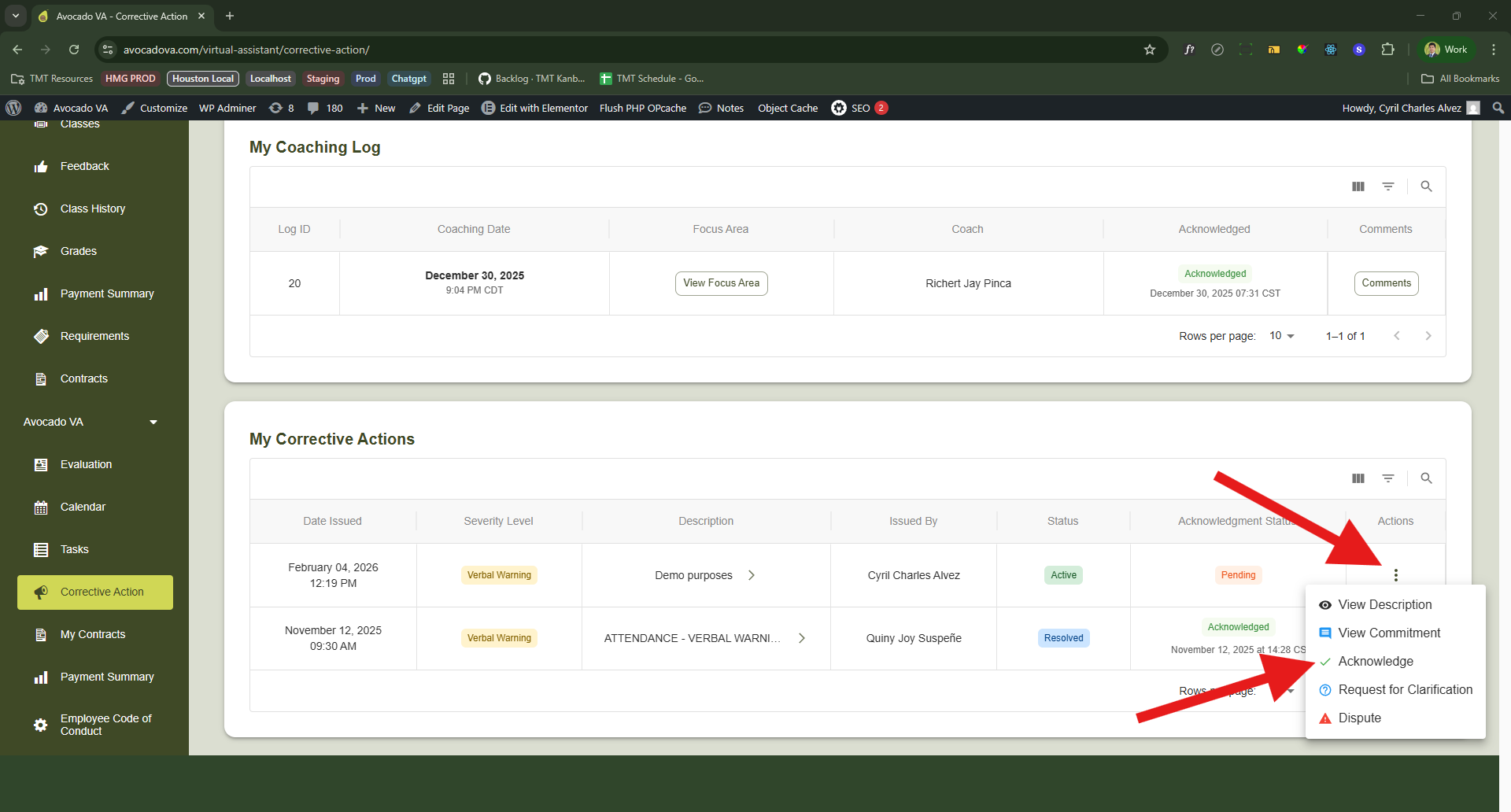
- Select Acknowledge from the menu.
- A disclaimer dialog will appear. Read it carefully.
- Enter your commitment or acknowledgement message in the text field.
- Click the Acknowledge button to submit.
Both options result in the same acknowledgement process.
Explore More Avocado VA Guides — Visit the full Knowledge Base to find answers, tutorials, and helpful tips.